n8n vs Zapier vs Make: Which Automation Tool Fits an Indian SMB in 2026?
The short answer before the details
If your automation is a handful of simple two-step transfers between well-known SaaS tools, Zapier is still the fastest thing to set up and you should not overthink it. If your automations are the operational spine of the business — every enquiry, every invoice, every follow-up — n8n is almost always the correct choice for an Indian business, because the cost model and the data control both scale in your favour.
Make sits in the middle: more visual and cheaper per operation than Zapier, but still a hosted service where you pay by volume and your business logic lives in someone else's console.
The rest of this article explains why that split exists, with the numbers that actually matter for an Indian SMB rather than a US Series-A startup.
The cost model is the real decision, not the feature list
All three tools can send a WhatsApp message, update a CRM record and append a row to Google Sheets. Feature grids therefore tell you very little. What separates them is how you are billed once volume grows.
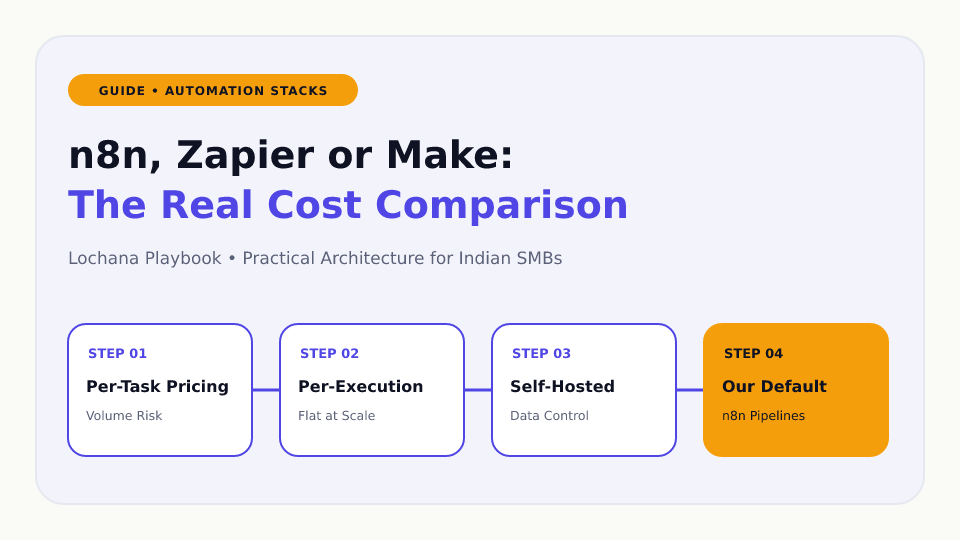
Zapier charges per task. A task is filed every time a step in a Zap executes, so a single lead that triggers five steps counts as five tasks. A business receiving 900 enquiries a month and running a five-step workflow needs roughly 4,500 tasks monthly — comfortably above entry plans, and the per-task rate does not fall much as you grow.
Make charges per operation, with roughly similar logic but a meaningfully lower per-operation price and generous inclusion of steps that do not touch an external service.
n8n charges per workflow execution on Cloud, or a flat infrastructure cost when self-hosted. Crucially, an execution can contain fifty nodes. Ten steps inside one workflow still cost one execution. For a business running rich workflows with branching, retries, loops and sub-workflows, this is a different order of magnitude.
Worked example: an enquiry-to-visit pipeline
Take a Mumbai dental clinic that runs Instagram ads and receives about 40 enquiries a week. The pipeline does six things per enquiry: writes the lead to the CRM, sends a WhatsApp acknowledgement, classifies urgency with an AI step, creates a calendar slot offer, reminds the receptionist on Slack, and logs everything to a reporting sheet.
In Zapier, if modelled as separate Zaps, that enquiry can easily consume six to nine tasks. At 160 enquiries a month you are looking at roughly 1,000 to 1,500 tasks monthly, plus the AI step billed separately by your model provider.
In n8n, the same pipeline is one workflow with a dozen nodes. 160 executions a month. On a self-hosted instance that costs the same whether you take 40 enquiries or 4,000.
This is the point most comparison articles miss: the cost gap does not open slowly, it opens the moment your workflow gets genuinely useful. Rich workflows are exactly the ones that pay for themselves, and they are also the ones per-task pricing punishes most.
- Simple two-step automations: per-task pricing is fine and predictable
- Six-or-more-step operational workflows: per-execution pricing wins decisively
- Any workflow with a loop over rows: per-task pricing becomes unpredictable
- AI steps inside a workflow: self-hosted lets you pick a cheap Indian or open model without another vendor
Data residency and what "self-hosted" actually buys you
In a hosted automation tool, the data in transit passes through the vendor's infrastructure. For a lead name and a WhatsApp number, most businesses reasonably shrug. For an Indian clinic storing health context, or a manufacturer passing purchase and pricing data between systems, the calculation changes.
n8n can run on a VPS in an Indian region, or on your own office server. That keeps the payload inside infrastructure you control and makes it far simpler to answer a client or auditor asking where their data physically sits.
This is a compliance convenience, not a legal guarantee. Running your own server does not automatically make you compliant with the Digital Personal Data Protection Act, and it does not encrypt anything for you. It does remove one third party from the chain, which is usually the practical question being asked.
Where Zapier genuinely wins
Honesty matters here: for a business with no technical staff and a small, stable set of automations, Zapier's breadth of integrations and near-zero setup friction is hard to beat. If you need to connect forty obscure SaaS tools and nobody on the team can read a JSON payload, the higher bill buys you something real.
Zapier's failure notifications and retry behaviour are also forgiving in a way that matters when nobody is watching the workflow. A badly maintained self-hosted n8n instance that silently stops is worse than an expensive tool that keeps working.
The trouble usually arrives at month nine, not month one: the business has grown, the workflows have multiplied, the task bill has tripled, and migrating now means rebuilding everything you depend on.
The maintenance question nobody asks before choosing
Self-hosting is not free — it converts a subscription into an operational responsibility. Someone must patch the instance, back up the database, rotate credentials, and notice when a webhook starts failing silently.
In practice that means one of three arrangements works: a technical person in-house who owns it, a monthly retainer with the agency that built it, or n8n Cloud so the hosting burden stays with the vendor while you keep the per-execution pricing model.
The arrangement that does not work is self-hosting because it looked cheaper, with nobody assigned to it. We have rebuilt enough abandoned instances to see the pattern: the workflows keep half-running for months, quietly dropping a percentage of leads, and nobody notices because there is no dashboard counting them.
What to check before you commit to any of them
Whichever tool you pick, the questions that determine whether the project succeeds are almost never about the tool. They are about whether the underlying process is defined well enough to automate.
If two people in your team describe the lead follow-up process differently, automating it will simply make the disagreement faster and more expensive.
- Write down the current process as a numbered list before opening any automation tool
- Agree who receives an alert when a workflow fails, and where that alert lands
- Confirm which system is the source of truth for a lead — CRM, Sheet or WhatsApp
- Estimate monthly enquiry volume, then triple it; check the pricing tier holds
- Decide up front who patches and backs up the instance if it is self-hosted
- Test the failure path deliberately: disable an integration and confirm you get told
Our default recommendation
For the Indian SMBs we work with — clinics, manufacturers, real estate desks, D2C brands — the pattern that holds up is n8n for the operational workflows, because lead-handling pipelines are exactly the multi-step, high-volume shape that per-task pricing handles worst.
We keep simple one-way notifications in whatever tool the client already pays for, and migrate an automation to n8n only when its step count or volume makes the economics clear. Migrating is cheap; rebuilding trust after a lead pipeline silently broke is not.
Want help setting this up for your business?
Book a free audit with Lochana and get a clear, fixed-price plan tailored to your team.